%201.svg)
Products
- A product is a good or service that you sell.
- The Products section is a module for managing and tracking an organization's products.
- Purpose: This article will guide you through understanding the Products module in Zoho CRM. It is designed for sales looking to effectively manage and track their company's product information.
Create a Product
You can import multiple products or create a single product
Step 1 : In your Thriwin account in side navbar , navigate to channels > others > products
Step 2 : In the upper right, click Add. Or, to import multiple products, click

to import
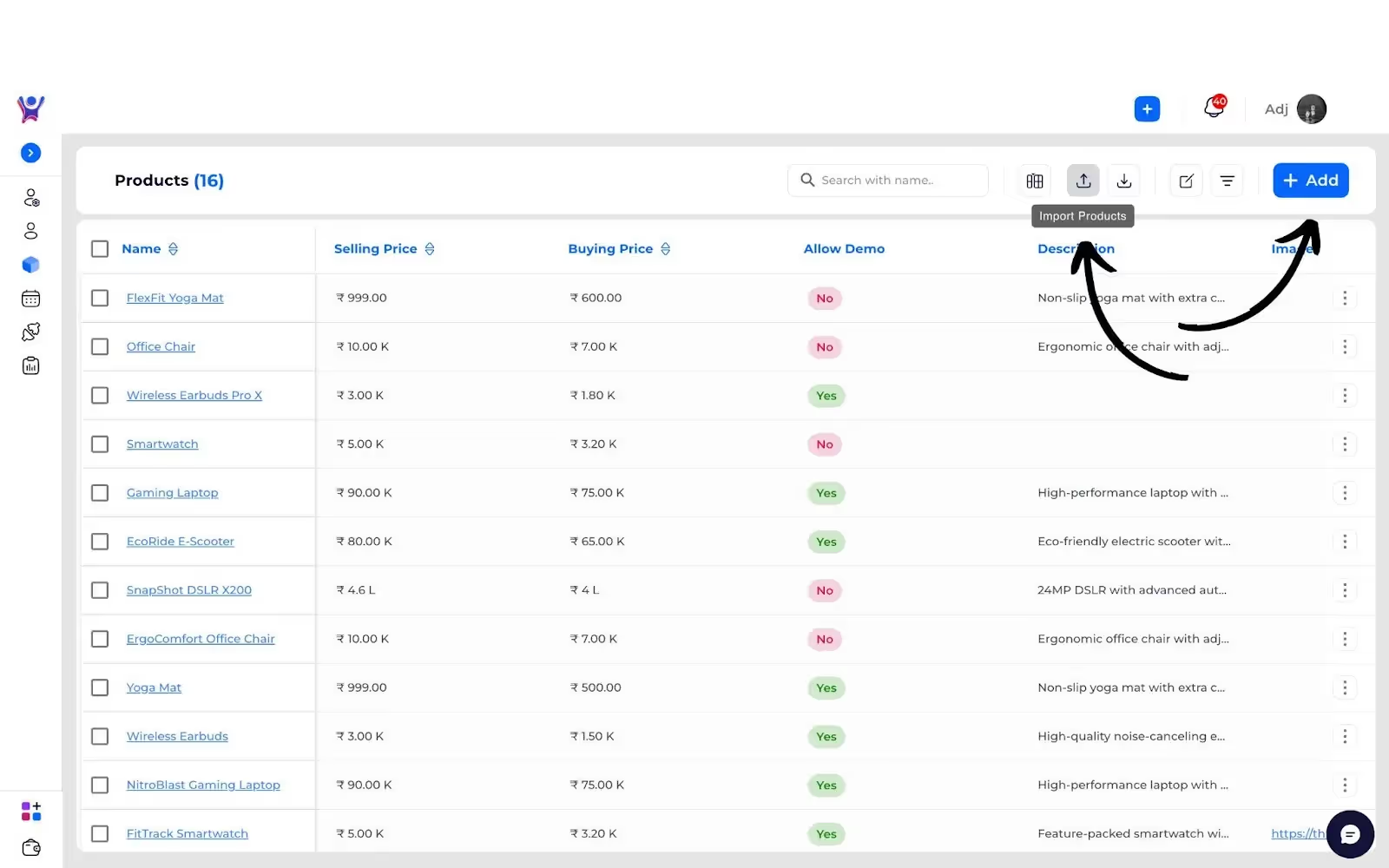
Step 3 : In the form , customize your product details
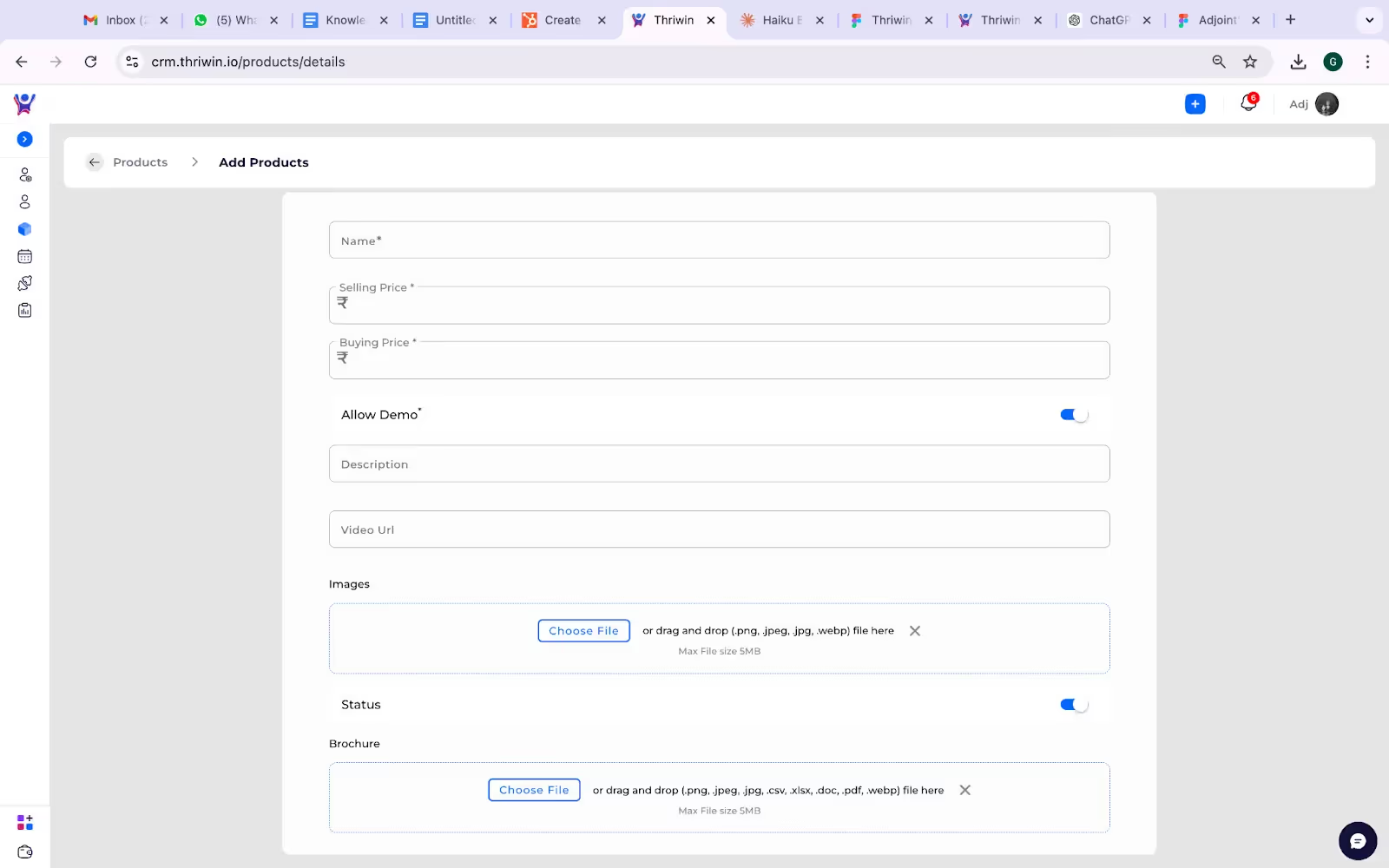
Name: Enter the name of the product or service.
Selling Price: The price at which the product/service will be sold to customers.
Buying Price: The cost incurred to procure or manufacture the product/service.
Allow Demo: Toggle this field to indicate whether customers can get a demonstration of the product/service.
Description: Provide a brief overview of the product/service, highlighting its features or benefits.
Video URL: Add a URL linking to a promotional or demo video of the product/service.
Images: Upload an image of the product (JPEG, PNG, etc.), which will be displayed on the product page.
Status: Indicate whether the product/service is active or inactive.
Brochure: Upload a brochure file (PDF, DOC, etc.) containing detailed information about the product/service.
- Click Save to save the product, or click Save and Add Another to save and additionally create a new product.
Need More Help?
For further assistance, feel free to contact our support team. Visit our Support Center for detailed help and FAQs.




.svg)


.svg)